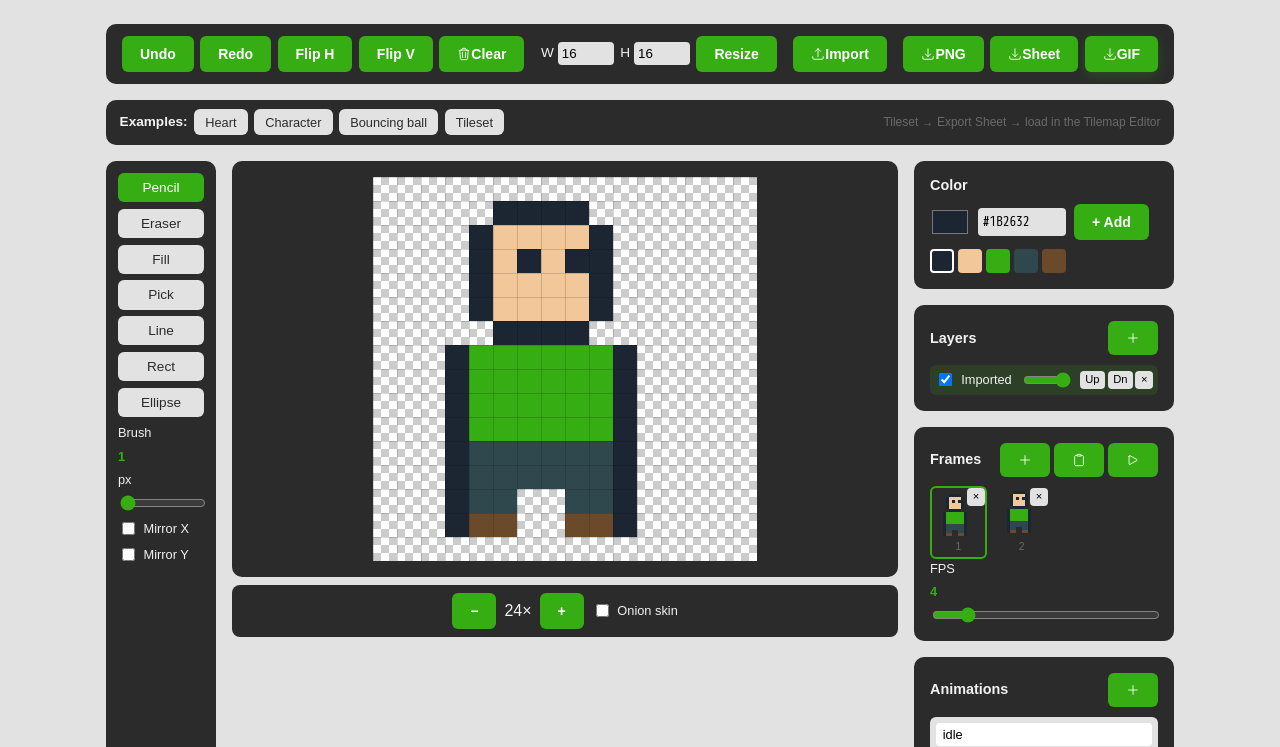
Introducing the Sprite Editor: Make Pixel Art Right in Your Browser

A game needs art, and not everyone has a copy of a pricey editor sitting around. So we built one into the browser. The Sprite Editor is now live in our Tools section — a proper little pixel-art studio you can open and draw in straight away, with nothing to install and nothing uploaded anywhere.
Draw, layer, and animate
At its heart it's a focused pixel canvas with the tools you'd expect — pencil, eraser, fill, line, shapes, and a colour picker — plus custom palettes so your sprite stays on-model. Layers let you separate outline, fill, and shading and toggle them independently, and mirror drawing reflects each stroke across the centre line so symmetrical sprites take half the work.
Animation is built in, not bolted on. Add frames, scrub between them, and turn on onion-skinning to see a ghost of the previous frame underneath the one you're drawing, so movement lines up cleanly. You can even tag a range of frames as a named clip — walk, jump, idle — each with its own playback speed and loop toggle, and preview it right in the editor.
Export it the way your engine wants
When the sprite's done, export it however your project needs:
- PNG — a single frame, scaled up cleanly with no blurring.
- Spritesheet — all frames packed into one PNG plus a JSON map, with your named clips written into it so an engine can play animations by name.
- GIF — the whole animation as a shareable loop.
Straight into your games
The Sprite Editor is the front of a pipeline. Draw a character or a tileset here, export the sheet, and it drops straight into the Tilemap Editor and the Game Maker — so the art you make is the art that ends up in your game, no format wrangling in between.
Start drawing
It's free, it runs entirely on your device, and the sprites you make are yours to use in any project, commercial or personal. Try one of the built-in examples to see how a sheet comes together, then start your own.
Open the Sprite Editor and draw your first sprite.